
Eureka Auctions 'How To Bid' Guide


HOW TO VIEW VIDEO FEEDS & BID DURING LIVE AUCTIONS
IMPORTANT, please read before proceeding:
* Account Creation: ONE TIME - You only need to Create an Account ONCE! When you have an Account you can login with your email address and password to multiple auctions.* Auction Registration: ONCE PER AUCTION - You need to Register for EACH Auction you wish to participate in & fill in the Bidder Registration page each time.
* Buyer's Premium - Each auction includes a Buyer's Premium as per standard auction practice, this is an ADDITIONAL percentage charged to the winning bidder on top of the final winning bid/hammer price - typically 18.5% + GST. Check the Buyer's Premium in the Auction Information.
* Payment: Winning bidders are NOT automatically charged at the conclusion of an Auction -This allows bidders the opportunity to pay via their preferred method i.e. Credit Card, PayPal, Bank Transfer, in-store, etc.
- Invoicing : If you are successful as the highest bidder on any items in the Auction, an invoice will be sent within 24-48 hours to the nominated email registered with us. If you have not received an email within 48 hours please check your Junk & Spam folders, or contact us to reissue your invoice.
- Invoice Payment : For fairness to all bidders, clients & staff who are an integral part of these auctions, please pay your invoices within 48 hours - reminder the amount is NOT automatically debited from your account.
- Overdue Accounts: We understand you are busy, so for overdue accounts we do endeavour to send reminder emails, followed up by phone calls, however if a pattern of non-payment is observed, restrictions will be applied to your account, potentially limiting your ability to bid in future auctions.
Step 1 : Bid on an Auction
- Head to auctions.eurekacoins.com.au
- If you have previously Registered for the Auction then Enter your Email and Password click LOGIN
- - -> If you do not have a login then follow the account creation and auction registration instructions. - Find the Auction you wish to watch and/or participate in
- - -> If you have not registered for this Eureka Auction then follow the auction registration instructions. - Click BID LIVE
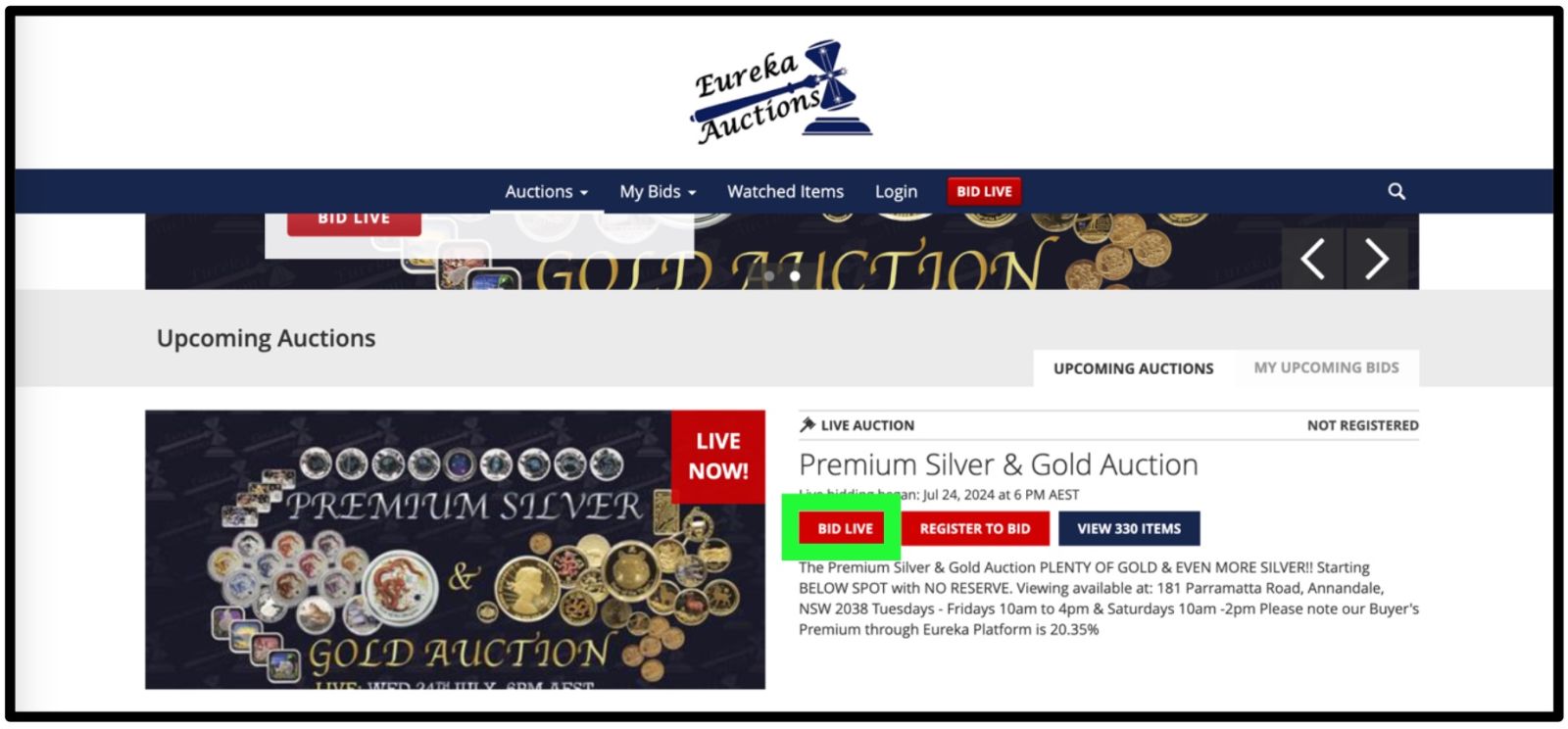
Create an Account or Login with previous Credentials
If this is your first time registering on the Eureka Auctions Platform: Click Create Account
For help with this, see "How to Create an Account/Register to Bid" above.
If you have previously made an Account: Enter your Email & Password, then click " LOGIN "
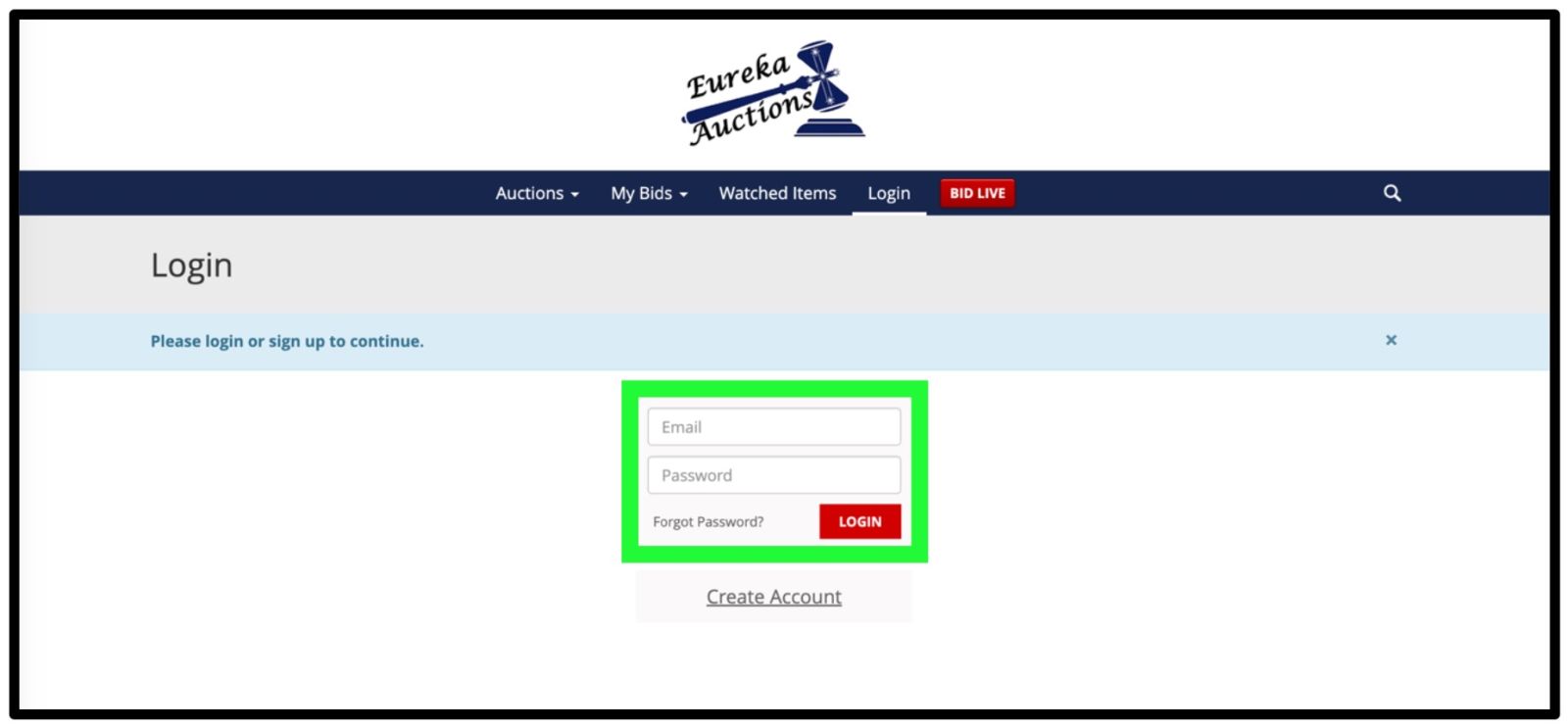
You will be prompted to Register to Bid if you have not already done so
For help with this, see "How to Create an Account/Register to Bid" above.
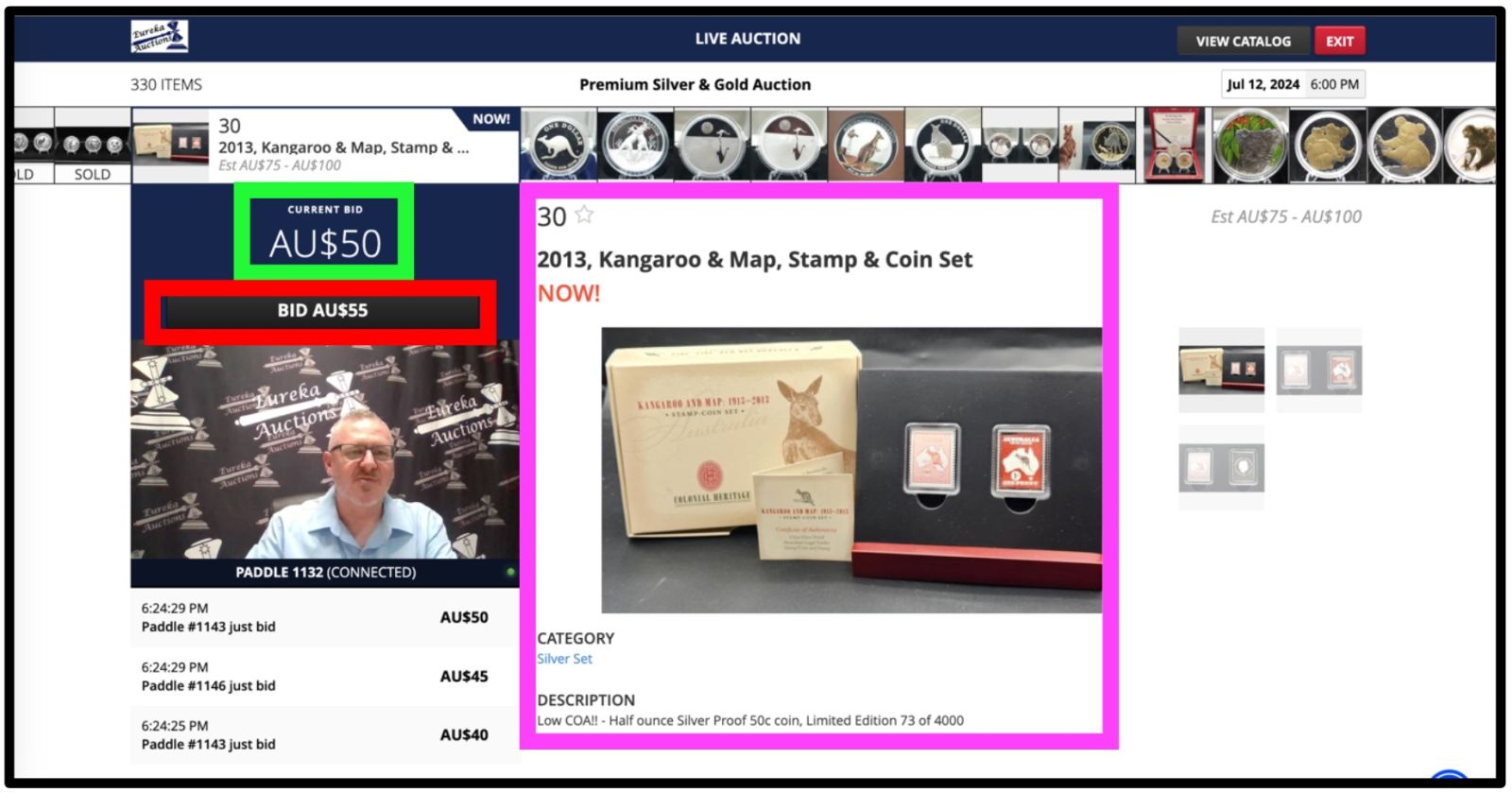
Once you've Logged in, the LIVE Auction will automatically load:
- The LISTING CURRENTLY OPEN FOR BIDDING will display on the majority of the screen next to the video feed of the Auctioneer.
- The CURRENT BID will display on the blue background above the video feed of the Auctioneer.
- To PLACE A BID click the "BID AU$" button above the video feed of the Auctioneer.
N.B. The AU$ amount on the button changes as LIVE bids are placed.
All bids are in Australian Dollars. Bids do NOT include Buyer's Premium, GST or Shipping Fees.
This will be calculated at the conclusion of an Auction and added to your invoice.
EUREKA AUCTIONS APP - MOBILE DEVICES*
*Please note these steps apply to a LIVE Auction and images are captured on an Android device
- Download the Eureka Auctions App via the App Store or Google Play
- Open the App to the Login page
If you have previously made an Account of the Eureka Auctions Platform:
- Sign in using your Email & Password that you registered with, then tap "LOGIN"
If this is your first time using the Eureka Auctions Platform:
- Tap "New? Create Account"
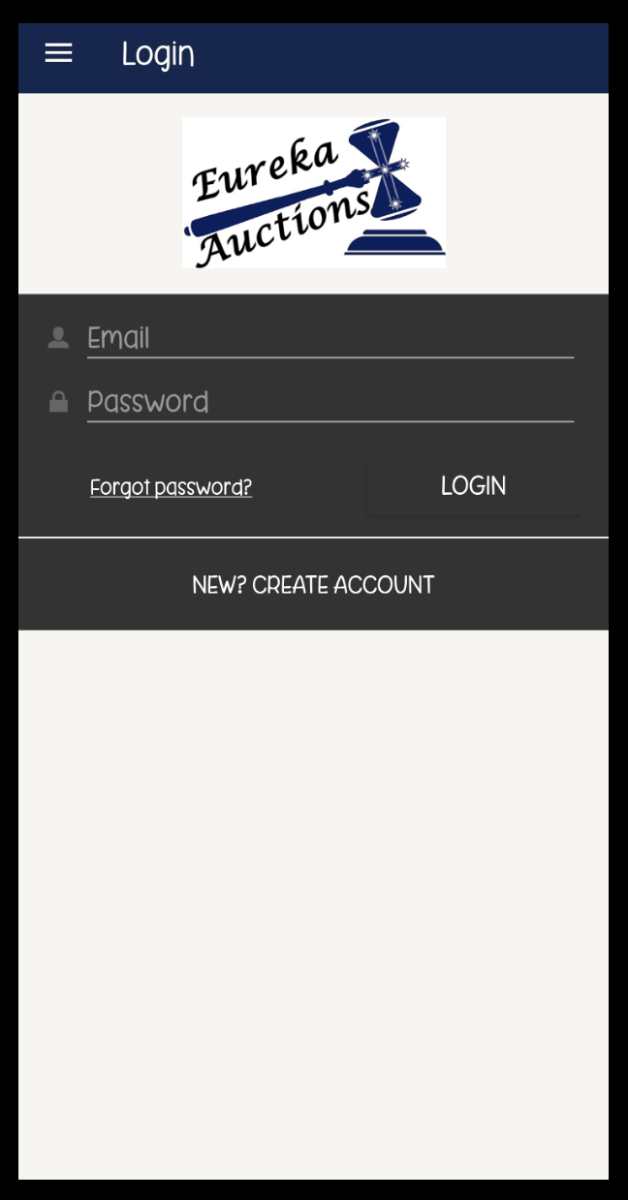
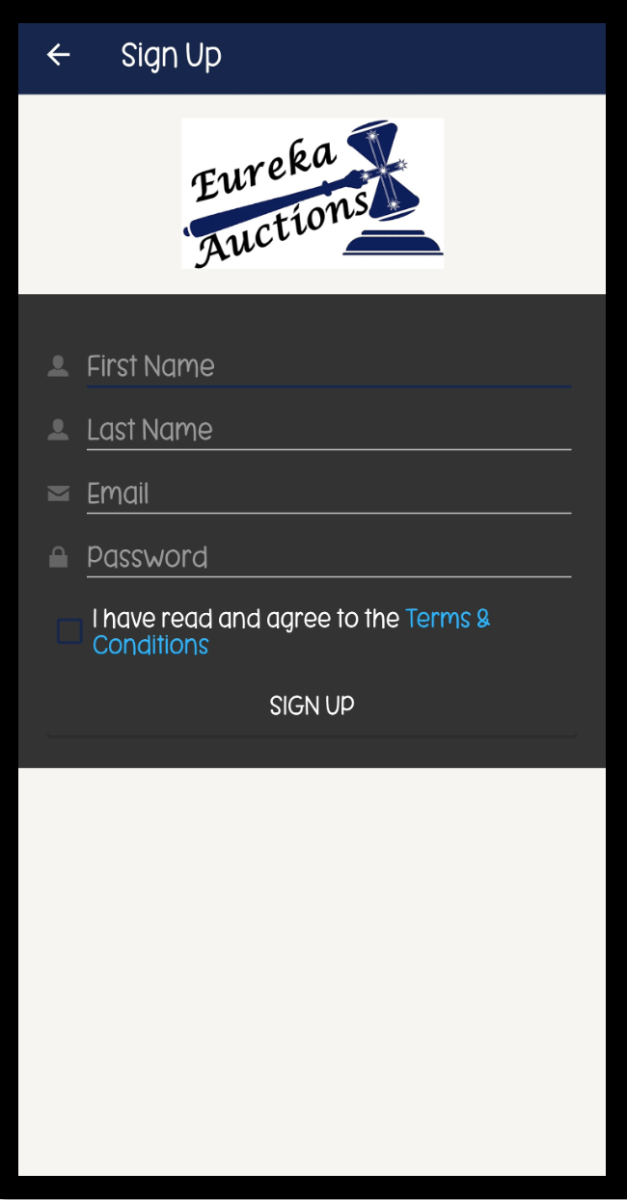
If you tapped "New? Create Account", you should see this page:
Enter your details in the boxes provided:
- Your First Name & Last Name
- Email - this email will be used for correspondence & invoices will be sent here
- Password - please select a password you will remember
Please read the 'Terms & Conditions'
- Check ✓ the box to agree, then click “ SIGN UP ”
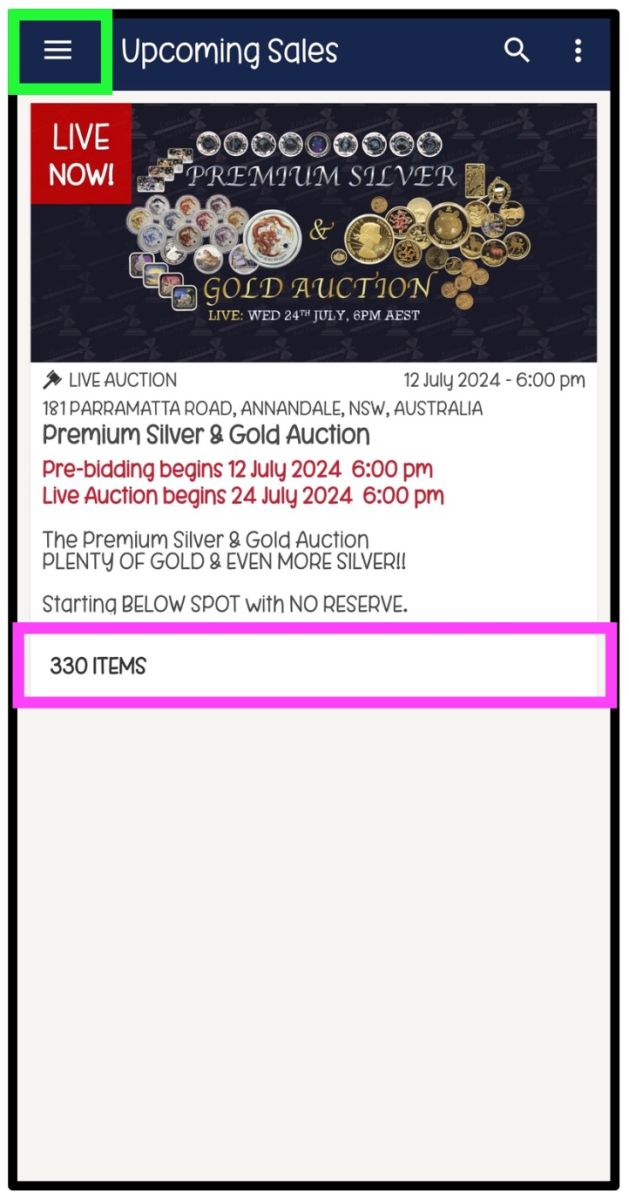
Once you have SIGNED UP and/or LOGGED IN:
- Tap the THREE DASHES on the upper left of the screen and open Upcoming Sales page
- Choose the LIVE Auction you wish to bid in, then tap the # ITEMS button
N.B. The number of items changes between Auctions, it will not always read 330 as in the example image
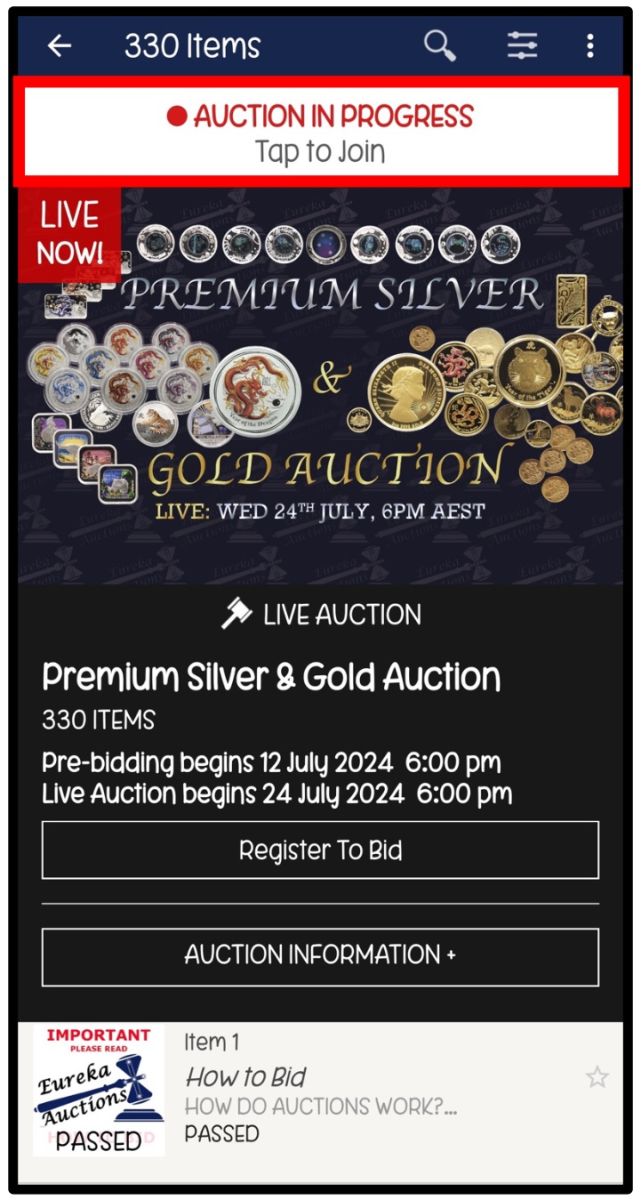
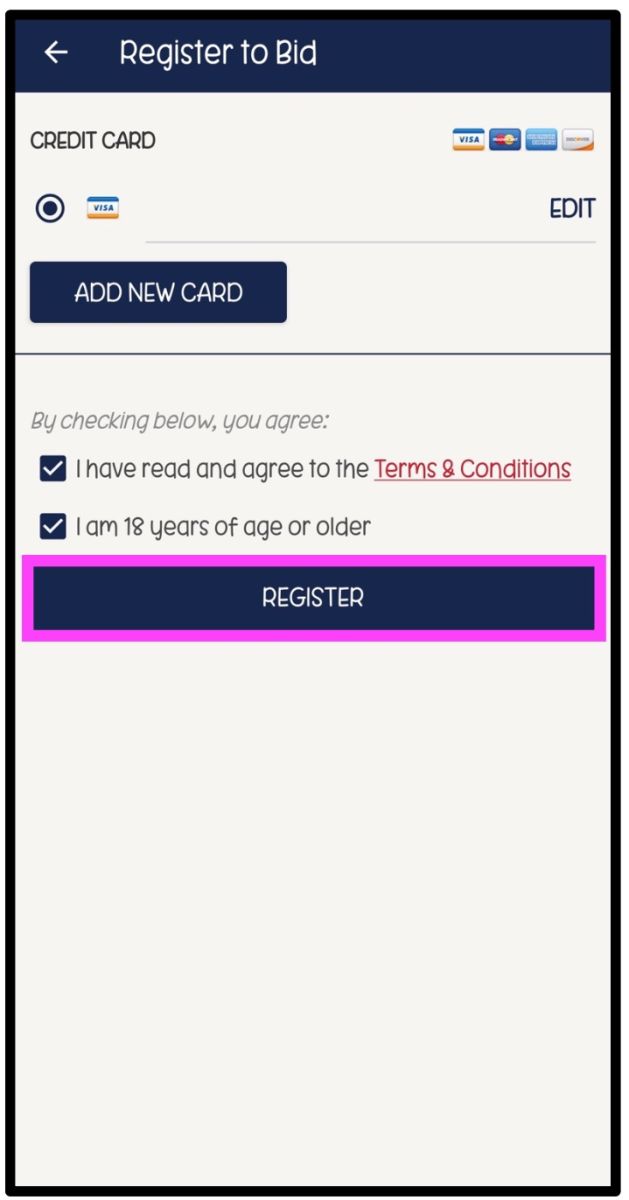
Register to Bid to join the LIVE Auction - if you have not already done so:
- Tap AUCTION IN PROGRESS - TAP TO JOIN if you have previously registered, this should skip the next screen
- or tap REGISTER TO BID if you have not already done so.
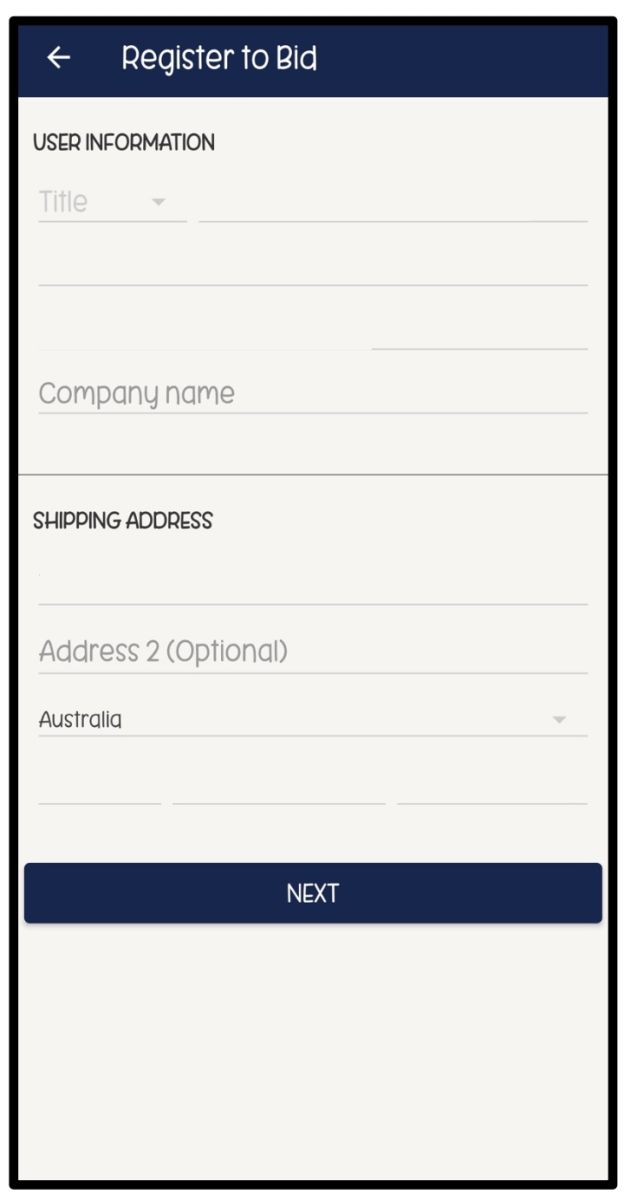
You will be prompted to Register to Bid prior to accessing any Eureka Auctions LIVE Auction:
- Enter your 'USER INFORMATION' these are the details we will use to contact you & ship your items to should you be successful as highest bidder
Enter your Credit or Debit Card details
This is a verification step within the registration process to ensure fairness to legitimate bidders.
IMPORTANT: We do NOT automatically charge winning bidders at conclusion of an Auction!
N.B. a pending payment will be applied to your Bank Account, this pending payment does NOT get processed.
This payment will automatically be refunded back into your account usually within 24 to 48 hours.
- Please read our 'Terms & Conditions', check ✓ the boxes to agree, then click REGISTER
Once APPROVED you will be prompted to enter the LIVE Auction:
If you have not previously verified your email, you should be prompted to do so prior to approval.
- Tap AUCTION IN PROGRESS - TAP TO JOIN
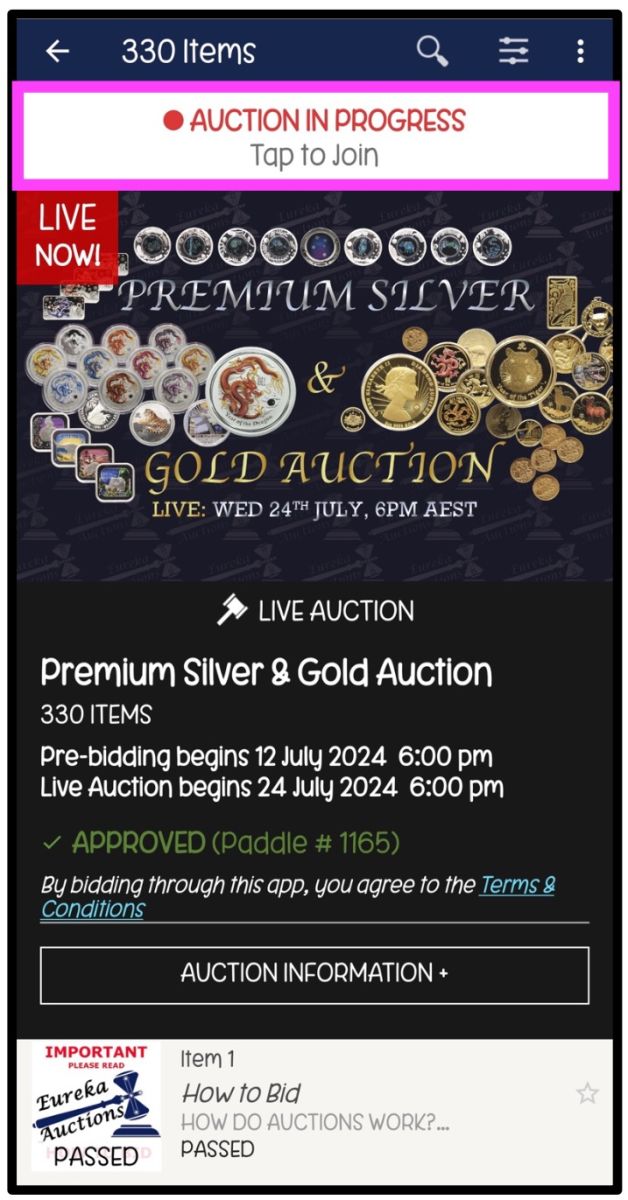
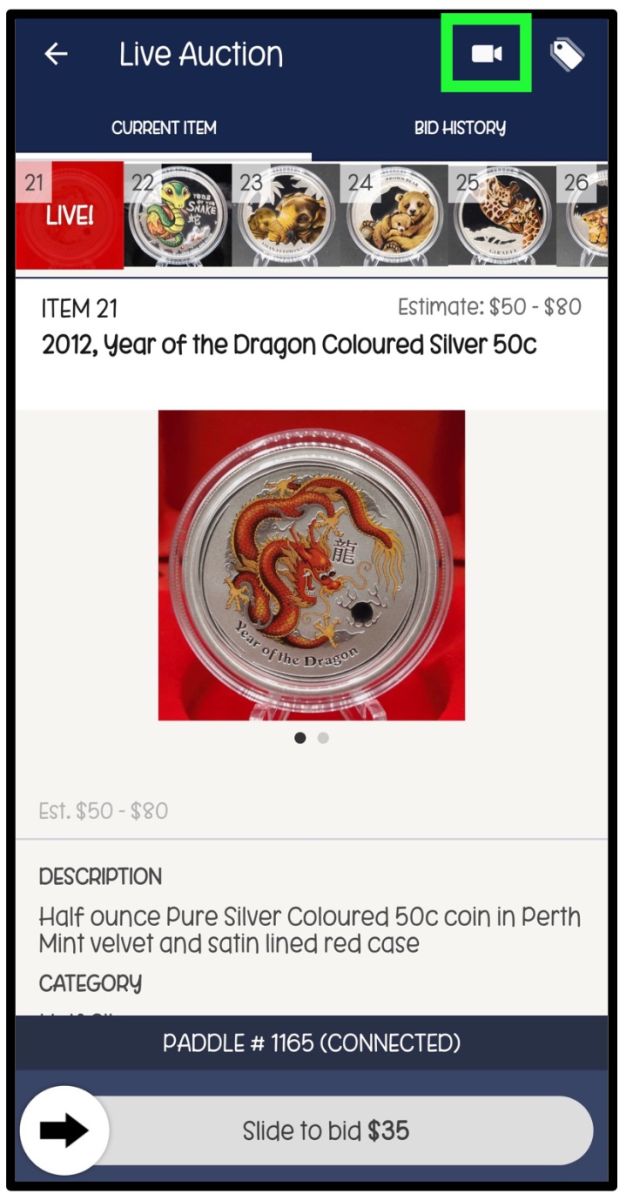
You will be connected to the LIVE Auction:
- Tap the VIDEO CAMERA symbol to load the video feed of the Auctioneer & LIVE Auction.
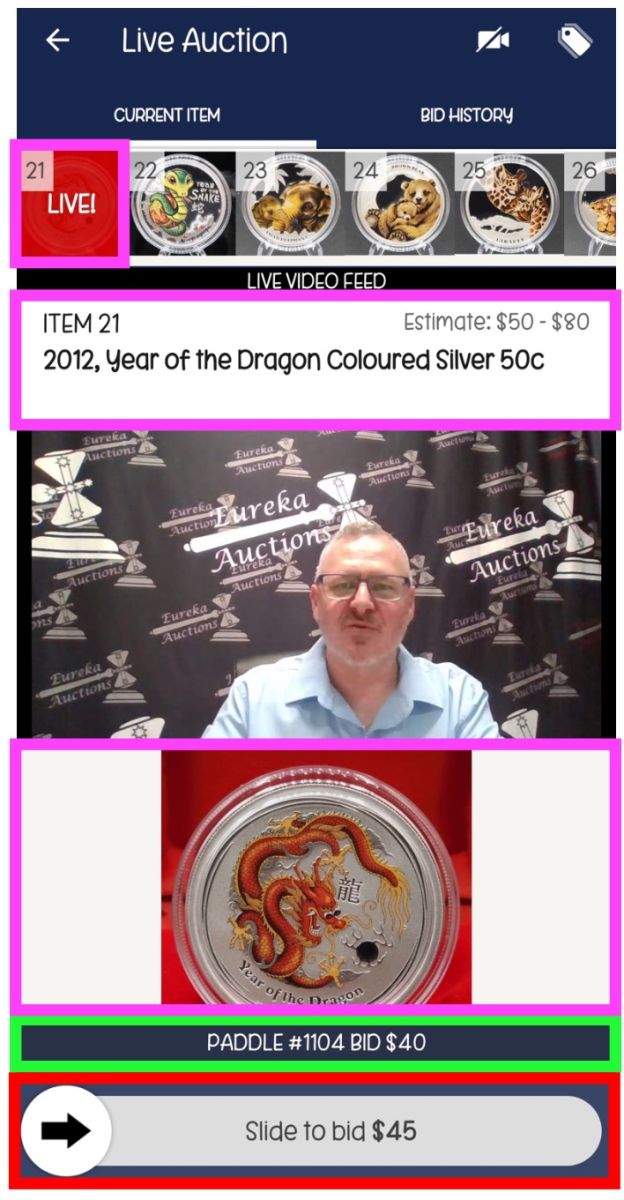
YOU ARE NOW ABLE TO PARTICIPATE IN THE LIVE AUCTION:
- The LISTING CURRENTLY OPEN FOR BIDDING will display with the Item Name above & Item Images below the video feed of the Auctioneer.
- The CURRENT BID will change LIVE and be displayed as a 'POP-UP' style notification below the item images.
- To PLACE A BID drag the arrow on the 'Slide to bid $' button from left to right across the bottom of your devices screen.
All bids are in Australian Dollars. Bids do NOT include Buyer's Premium, GST or Shipping Fees.
This will be calculated at the conclusion of an Auction and added to your invoice.
IMPORTANT, PLEASE READ:
- You only need to Create an Account ONCE!
- After you Create an Account you can login with your email address & password.
- You need to Register for EACH Auction you wish to participate in & fill in the Bidder Registration page each time.
- We do NOT automatically charge winning bidders at conclusion of an Auction!
- This allows bidders the opportunity to pay via different methods i.e. PayPal, Bank Transfer, in-store, etc.
- If you are successful as the highest bidder on any items in the Auction, an invoice will be sent within 24-48 hours to the nominated email registered with us. If you have not received an email within 48 hours please check your Junk & Spam folders, or contact us to reissue your invoice.
- For fairness to all bidders, clients & staff who are an integral part of these auctions, please pay your invoices as soon as possible, the amount is NOT automatically debited from your account.
- We do endeavour to send reminder emails, followed up by phone calls for overdue accounts, however, if a pattern of non-payment is observed, restrictions will be applied to your account, potentially limiting your ability to bid in future auctions.